01 · Journal
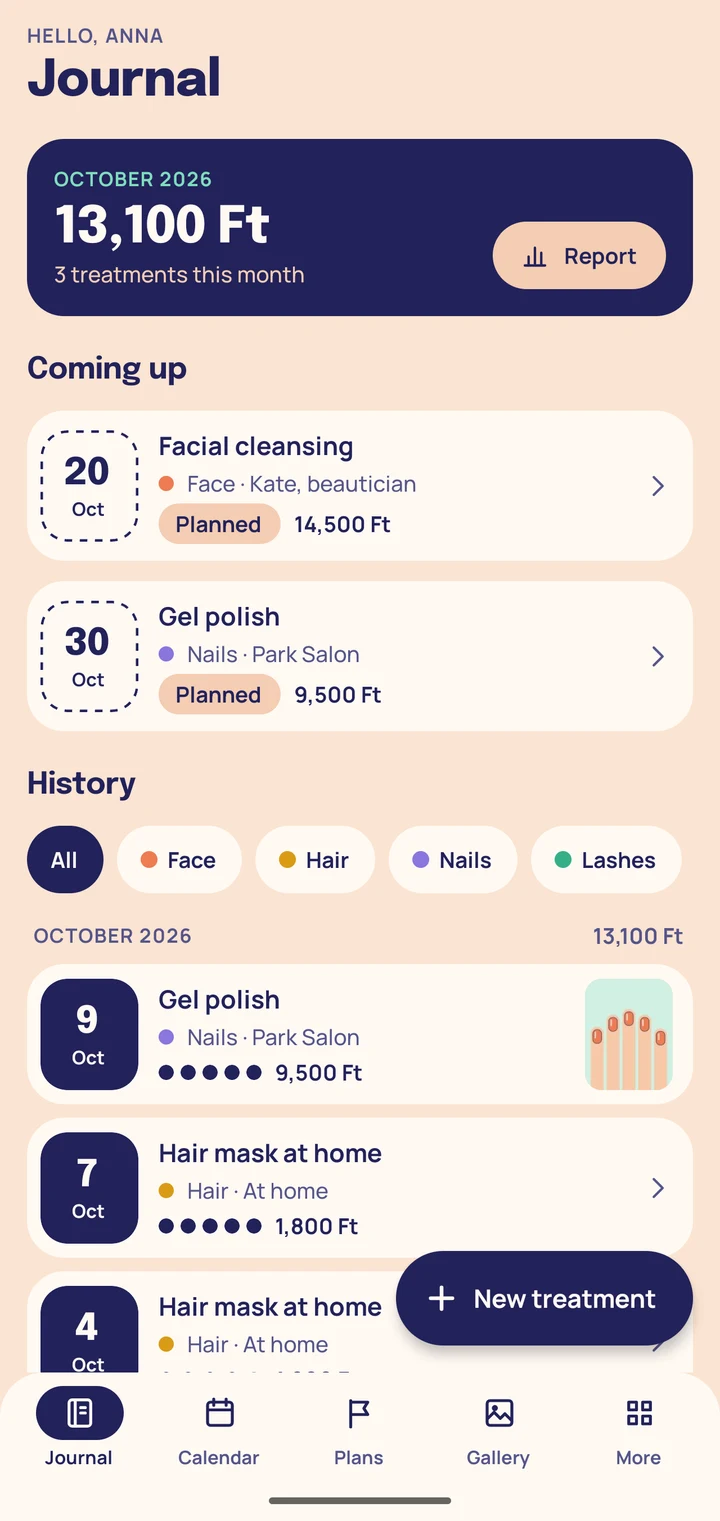
Every treatment in one journal, only on your phone
Note which treatment you had, when, what it cost and how happy you were with it, together with before and after photos. For salon visits and for care at home.
- No account
- No cloud
- No adverts
- No notifications
The app is not on Google Play yet. This button will become a link when it is.
The screens show sample data; the “photos” are drawings made for this demonstration, not photographs.
02 · Entry
Before and after, rating and notes
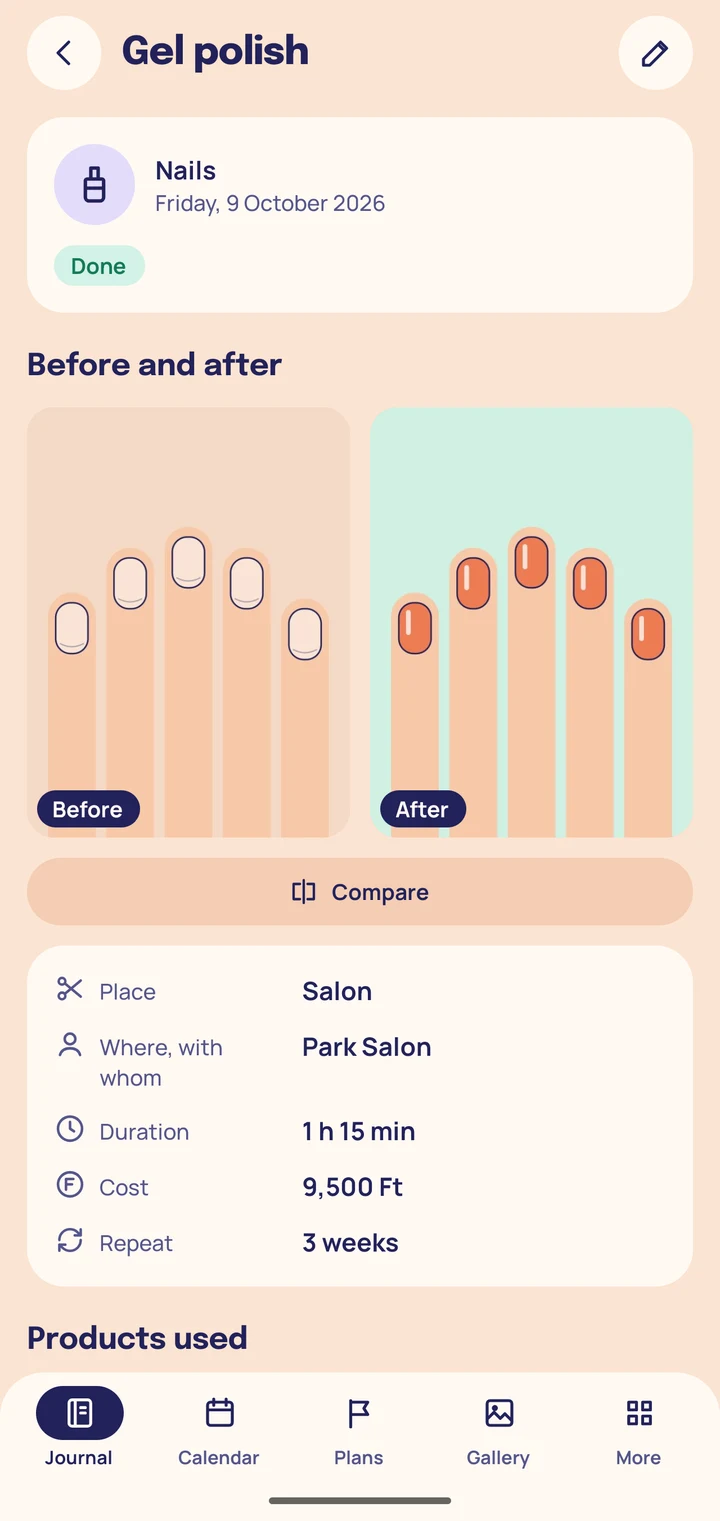
An entry only needs the treatment's name and its date. Fill in the rest when you want to.
What you can record
- The treatment's name, date, duration, place and the professional or salon
- The products used, in your own words
- The cost in forint (or euro)
- Your satisfaction from 1 to 5 and detailed notes
- A before and an after photo for every treatment
Care categories
- Face
- Body
- Hair
- Nails
- Lashes
Plus any category of your own. Hide the ones you do not use.
Templates
One tap fills in a new entry
Turn the treatments you repeat into templates and fill in a new entry with one tap. A few general starter templates are included.
The starter templates are general, everyday treatment names with no products and no prices: you fill those in from your own experience.
Starter templates
- Facial cleansing
- Facial massage
- Face mask at home
- Brow shaping
- Body scrub at home
- Massage
- Haircut
- Haircut and colour
- Hair mask at home
- Manicure
- Gel polish
- Pedicure
- Lash lift
- Lash tint
03 · Gallery
Compare your photos
Gallery
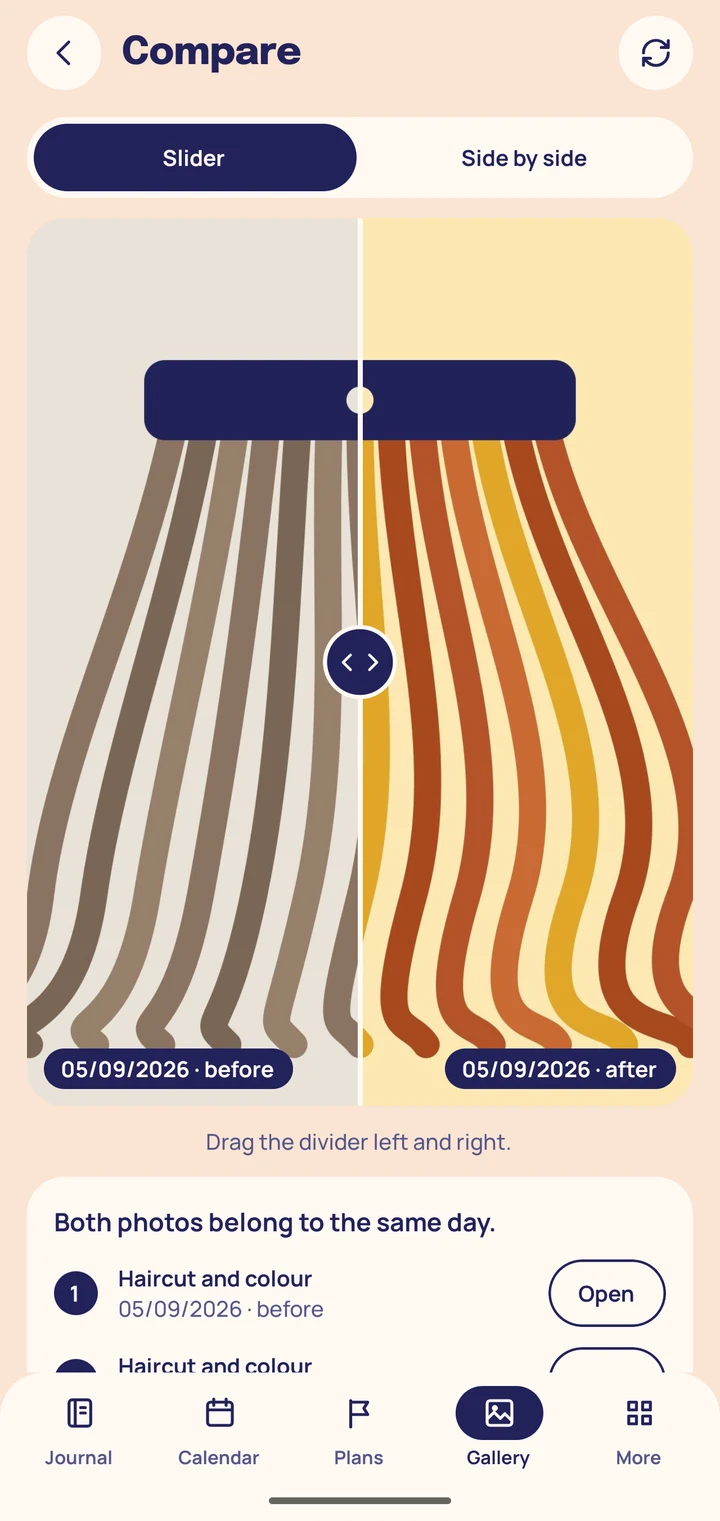
Put any two photos next to each other in the gallery, even from different periods, and compare them with a slider.
Slider or Side by side
Choose between two views. The journal also shows how many days apart the two entries are.
Photos in private storage
- You add a photo with the phone's photo picker, so the app never asks for access to your gallery or camera.
- A copy is kept in the app's private storage; it is never uploaded anywhere, and the app does not put it into the phone's shared gallery.
- The copy is deleted together with the entry.
04 · Calendar
Salon and home care in the calendar
Calendar
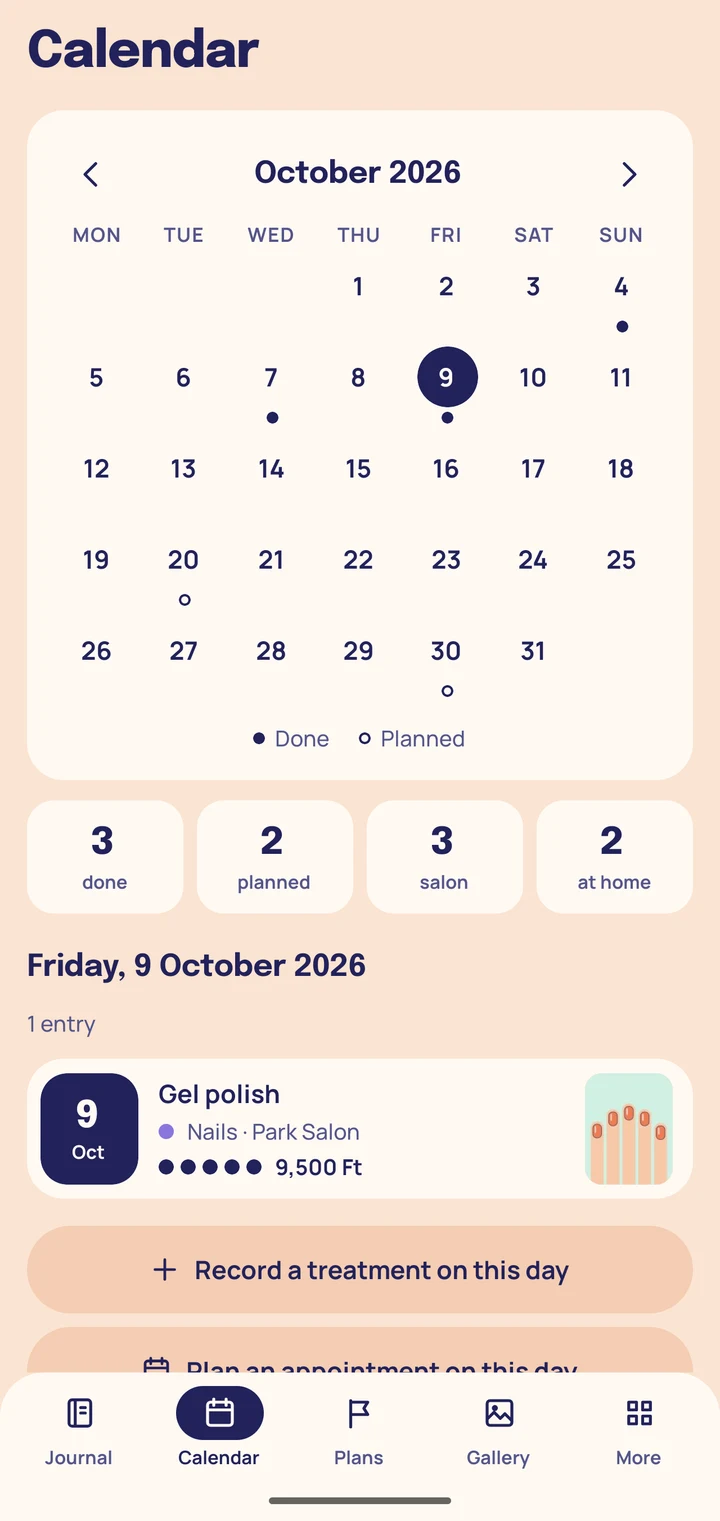
The calendar, starting on Monday, shows finished treatments and planned appointments: a dot for what is done, a ring for what is planned.
Next appointment
Add the next visit in a few taps: the journal offers your usual repeat and your own rhythm, or you pick any day. The days offered are calendar steps worked out from your own entries, not professional advice.
Your professional's advice
Write down what your beautician, hairdresser or nail technician told you, so it is at hand next time. The app itself gives no advice and does not recommend treatments or products.
Without notifications
The app sends no notifications: your plans are in the journal and in the calendar.
05 · Spending
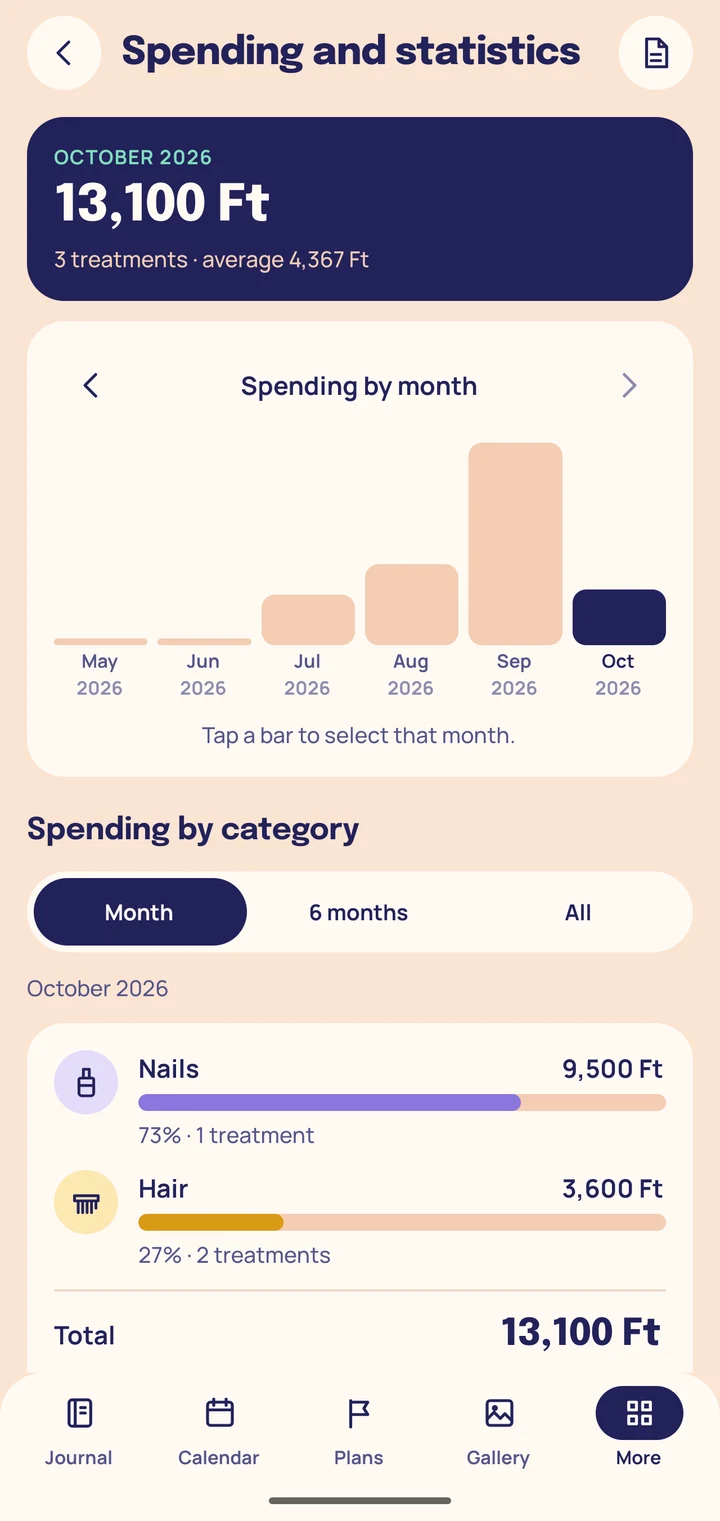
Spending by month and by category
Sample data from the screen
October 2026
13,100 Ft
3 treatments · average 4,367 Ft
Spending by month and by category, average cost, a salon and at-home split, and your average satisfaction.
The report is based on finished treatments with a cost recorded; planned appointments are not included.
Keep it in forint or in euro. Switching the currency does not convert amounts you have already entered.
PDF export
Save and share your treatment history and spending report as a PDF. Photos are only included when you switch that on.
06 · Goals
Care goals with visible regularity
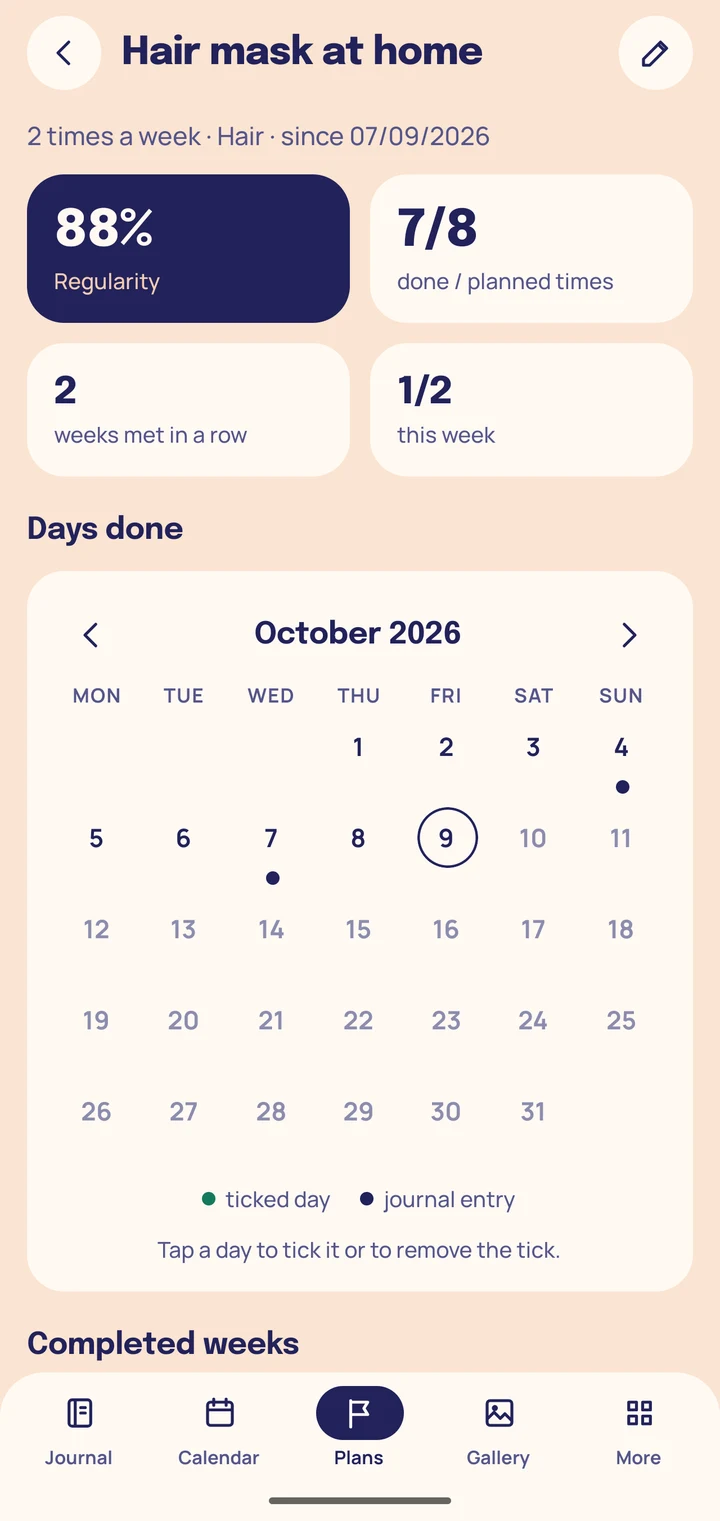
Set a goal (for example a hair mask twice a week), tick the days you did it, and see how regularly you keep it up.
The goal is your own decision: the app does not suggest how often.
How it is counted
Regularity covers the last 8 completed weeks, or the last 6 completed months for a monthly goal: times done as a share of times planned.
Sample data from the screen
Hair mask at home · 2 times a week
- 88%Regularity
- 7/8done / planned times
- 2weeks met in a row
Privacy
Everything stays on your phone
Your entries and photos exist on this phone only. No account, no cloud, no adverts.
-
Photo picker, no permission
You choose photos with the Android photo picker. The app asks for no camera or storage permission.
-
Private storage
The photo you choose is copied into the app's private storage. The app never adds it to the phone's shared gallery.
-
No account, cloud or tracking
No sign-up, no server, no adverts and no usage tracking. The app does not even have internet access.
-
No notifications
The app sends no notifications. Planned appointments appear in the calendar and in the lists.
-
No backup
Android backup is switched off for this app. If your phone is lost or reset, the journal is lost with it.
-
PDF export: your decision
When you export, you choose whether photos go into the file; that is off by default. The finished file is your responsibility.
-
Hide photos, block screenshots
Two optional settings, both off by default: photos are covered until you tap them, and no screenshot can be taken of the app.
-
One install-time permission
DETECT_SCREEN_CAPTUREbelongs to the block-screenshots option and gives no access to data. The app asks for no permission while it runs.
A diary, not an adviser
The journal records what you type in. It does not assess your skin, make a diagnosis, or recommend treatments or products. For health questions, see a professional.
Download
Start your beauty journal

The app is free, with no adverts and no purchases. Available in Hungarian and English.
The app is not on Google Play yet. This button will become a link when it is.
Any questions? Write to us: [email protected]